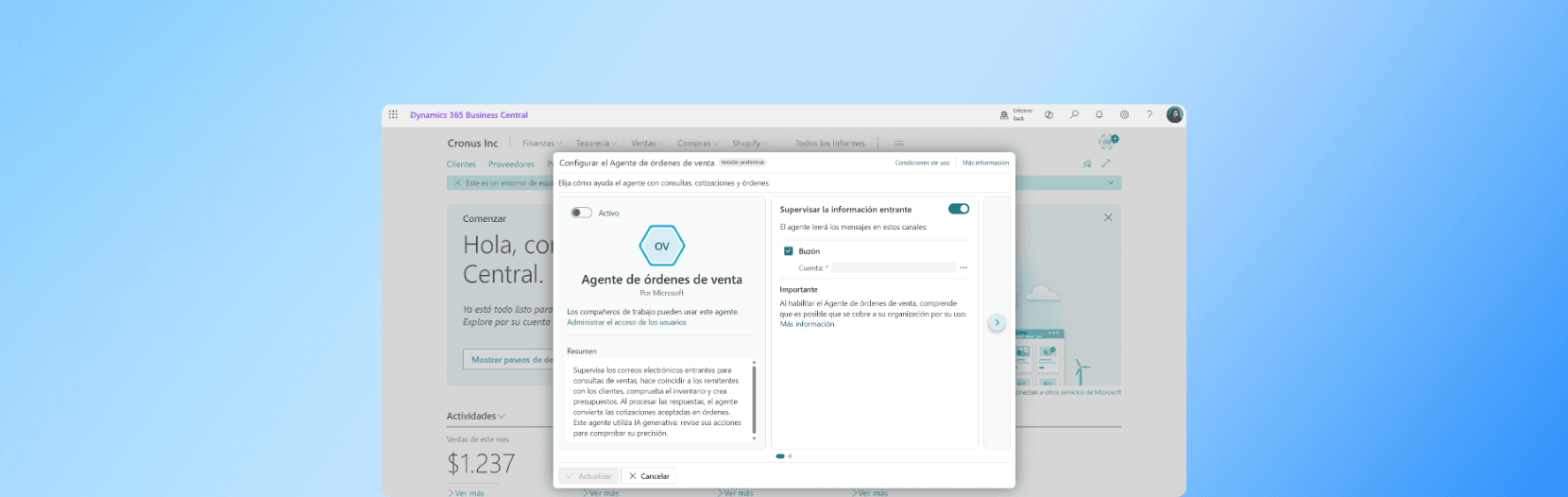
In an increasingly fast-moving business environment, optimizing sales order management is essential to staying competitive. With Microsoft Dynamics 365 Business Central, you have an innovative solution at hand: the Sales Order Agent. This tool simplifies processes, reduces errors and speeds up customer service, making it a strategic ally for your business.
What is the Sales Order Agent?
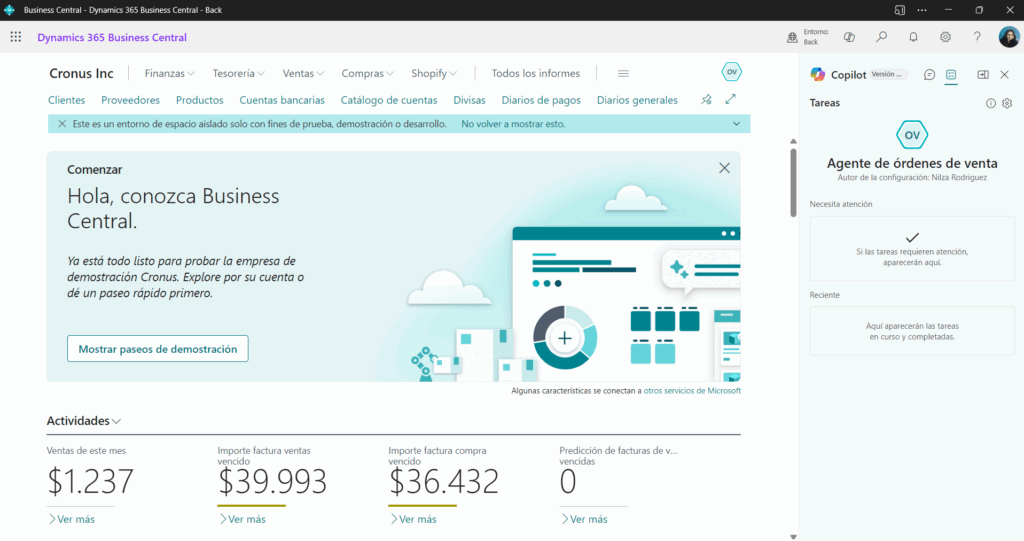
The Sales Order Agent is a feature within Business Central that helps users manage customer orders more quickly and in a more organized way. Instead of reviewing each order manually, this tool lets you view and act on every order from a single screen.
Why is this tool useful?
Imagine you work in sales and have to review dozens of orders every day. Some are pending approval, others need inventory confirmation, and others are simply waiting to be shipped. The Sales Order Agent centralizes all of this information, which allows you to make faster decisions and avoid errors.
An overview of your orders
One of the main advantages is that you can see every order in a clear, organized list. This view includes details such as:
- Customer name
- Order date
- Order status
- Product availability
With this information in front of you, it is easier to prioritize tasks and resolve problems before they affect the customer.
Quick actions from the same screen
In addition to displaying orders, the Agent lets you take action directly from the list. For example:
- Confirm product availability
- Ship orders
- Modify quantities
- Add notes
This avoids having to open each order individually, which saves time and improves productivity.
Integration with other areas of the business
The Sales Order Agent does not work in isolation. It is connected to other parts of Business Central, such as inventory, accounting and logistics. That means any change you make to an order is automatically reflected in other areas, keeping the information consistent.
Better customer service
With quick access to order information, the sales team can respond faster to customer inquiries. For example, if a customer calls to ask about the status of their order, the agent can check it in seconds and give an accurate answer.
Fewer errors
When processes are manual, it is easy to make mistakes: duplicating orders, forgetting updates or shipping the wrong products. The Sales Order Agent helps reduce these errors by automating tasks and showing alerts when something is off.
Customization to fit your needs
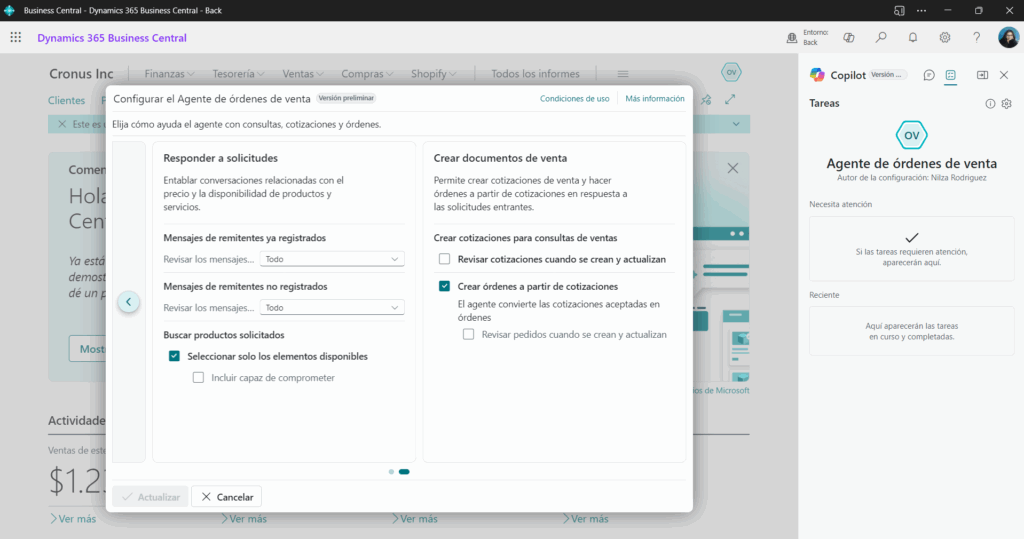
Every company has its own way of working. That is why Business Central lets you customize the Sales Order Agent view. You can choose which columns to show, apply filters and sort orders according to what matters most to you.
How do you get started?
If you already use Business Central, turning on the Sales Order Agent is straightforward. You just need the right permissions and access to the sales section. From there, you can open the tool and start exploring its features.
Tips for getting the most out of it
Here are a few practical tips to get the most value:
- Set up alerts for urgent or problematic orders.
- Group orders by customer to make follow-up easier.
- Check inventory before confirming shipments.
- Train your team so everyone uses the tool efficiently.
Is it right for your company?
This feature is especially useful for companies that handle a high volume of orders and need to stay in control without losing time. It is also ideal for businesses that want to improve customer service and reduce operational errors.
Video: https://youtu.be/6icbmbLc_Og
The Business Central Sales Order Agent is a powerful tool that can simplify order management, improve sales team efficiency and deliver a better customer experience. If your company is looking for a smarter way to handle orders, this feature could be the change you need.